Outlander PHEV SMS Remote
Alarm and Position Reporting in conjunction with the Free "Outlander PHEV SMS Utility" App.
Quick Overview------------------------ Heat or Cool your Mitsubishi Outlander PHEV (OP) from anywhere- Enjoy a Pre-Heated or Cooled car- Enable more driving on Pure Electricity (read on)
New Extended Features------------------------------------ SMS Controlled Movement Alarm - SMS Controlled Position Reporting
Note the App is currently only available in English.
Operation of the App is done via Text Messages from your current phone.
Background-----------------The PHEV App operates via short range (20 meters / 60 feet) WiFi, thus true Remote Control is not possible: This is achieved via this App!
(The PHEV App can be found here on Google Play, and allows you to control several aspects of the Outlander PHEV vehicle: Among other things, Heating or Cooling of the Car can be controlled.)
The Outlander PHEV (OP) has a 50 km (30 miles) range on the battery alone.
In cold weather below 5 C (41 F), the OP will start the ICE to heat the car.
This can be avoided by Preheating the Car.
This has been discussed at length on this forum: http://insideoutlander.boards.net/board/10/outlander-phev-owners-forum.
However, Preheating from the PHEV App can only be done when close to the car: True Remote control is not possible using the PHEV App alone.
This is solved by the "Outlander PHEV SMS Remote Control" App!
Benefits------------Preheat the Mitsubishi Outlander PHEV (OP) Car from anywhere (where there is GSM coverage) to drive on Pure Electricity in many situations where the OP otherwise would start the Internal Combustion Engine (ICE) and also use Gasoline.
Note that if it is cold enough (below -10 C, 14 F), the OP will start the ICE regulary regardless of Preheating, but Preheating will also in this case reduce use of the ICE!
Dining at a Restaurant at the Shopping Center while the car is Charging in the Parking lot?
Send an SMS to the Car to so that car is Preheated when you are ready to go: Then drive home on Pure Electricity.
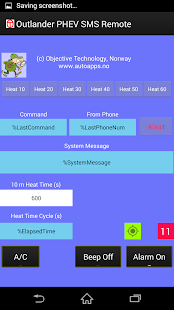
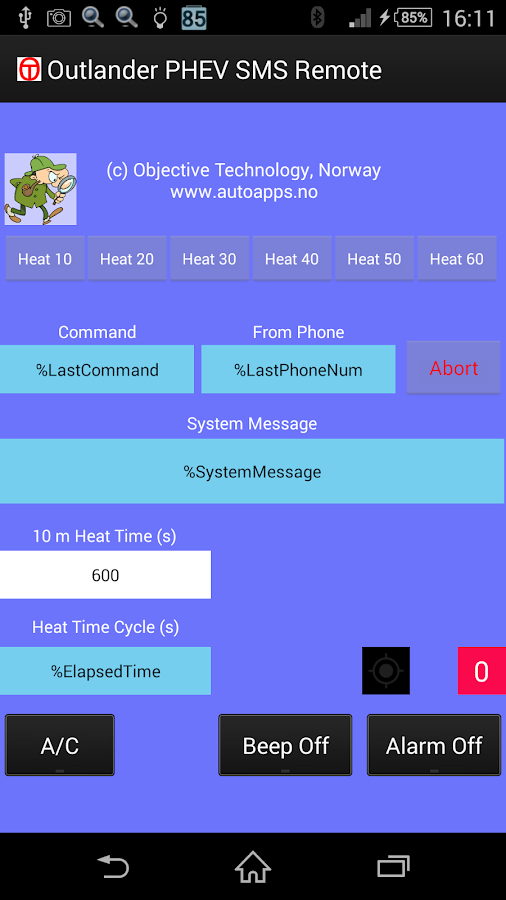
"Outlander PHEV SMS Remote Control" App Functions:-------------------------------------------------------------------------1) Heating or Cooling can be controlled via SMS (Text) Messages from virtually anywhere!
2) Heat or Cool the car for 10, 20, 30, 40, 50 or 60 minutes
3) Get feedback via SMS on Heating / Cooling status
4) Automatically detects and reports when "Door Open" aborts Heating / Cooling
5) Will report Low Battery Conditions for the Phone in the Car.
6) Request Phone Battery Status
7) Control who can Send SMS Commands to the Car through the Phone's Contact List
8) Enable more driving on Pure Electricity
We have attempted to write the App in such a way that it will be compatible with as many Phones and Android versions as possible.
The list of Tested Phones will be updated frequently.
PHEV SMS Remote Android Compatibility:-------------------------------------------------------------
We now have users successfully running :Android 4.3Android 4.4Android 5.0Android 5.1Android 6.0Android 7.0
Notes:- Rooted Phones with Non-Standard Android versions may NOT work!
For Prerequisites, Installation instructions, list of Tested Phones and Android versions see http://www.autoapps.no which will be updated frequently.
For Support go to our Forum: https://groups.google.com/forum/#!forum/outlander-phev-sms-remote
About Outlander PHEV SMS Remote
- Package name (App ID)
- no.objective.geiroves
- Available on
- Google Play
- Price
- Free
- Version
- v2015_03_31_01
Looking for the Outlander PHEV SMS Remote APK?
The safest way to get Outlander PHEV SMS Remote (no.objective.geiroves) on your Android device is to install it directly from Google Play — you'll always get the latest official version, automatic updates, and no risk of modified or infected APK files from third-party sites.
Gaming Features
Enjoy immersive gaming experience with various game modes.
Weather Features
Get accurate weather forecasts and real-time updates.
Learning Tools
Enhance your learning experience with interactive features.
See Outlander PHEV SMS Remote in Action
Frequently Asked Questions
Is Outlander PHEV SMS Remote free?
Yes, Outlander PHEV SMS Remote is free to download and install on Android through Google Play.
How do I install Outlander PHEV SMS Remote on Android?
Open Google Play on your Android phone or tablet, search for Outlander PHEV SMS Remote or tap the Google Play button on this page, then tap Install. The app downloads and installs automatically.
What is no.objective.geiroves?
no.objective.geiroves is the App ID (package name) of Outlander PHEV SMS Remote on Google Play. Every Android app has a unique package name, and it is the safest way to verify you are installing the official app.
Is Outlander PHEV SMS Remote safe to download?
Installing Outlander PHEV SMS Remote from Google Play is the safest option: you get the official version, verified by Google Play Protect, with automatic updates. Avoid APK files from unofficial third-party sites.

Get Outlander PHEV SMS Remote Today
Outlander PHEV SMS Remote for Android — free download on Google Play.
Compatible with Android phones and tablets — available on Google Play.
Ask AI about this app
Get instant answers about features, tips and more from popular AI assistants.